 TeXmacs primitives
In this chapter, we describe those built-in TeXmacs primitives which are intended to be used in normal documents. The additional primitives which are used for writing style files are described in a separate chapter.
1.Fundamental primitives
This primitive is used for sequences of logical paragraphs. A simple, plain text document is made of a sequence of paragraphs. For instance,
A simple document.
Made of several paragraphs. The second paragraph is very long, so that it is hyphenated across several line.
is internally represented as a
<document|A simple document.|Made of several paragraphs. The second paragraph is very long, so that it is hyphenated across several line.>
From the visual point of view, different paragraphs are often
separated by some vertical whitespace. Alternatively, new paragraphs
are indicated through the use of an additional indentation. The root
of a TeXmacs document is usually a
The
This not yet implemented primitive is a variant of
This primitive is used for sequences of line items, also called “inline content”. For instance,
Some emphasized text.
is internally represented as:
<concat|Some |<em|emphasized>| text.>
The
Multiple paragraphs.
Some emphasized text.
In this example, we need the
<document|A simple document.|<concat|Some |<em|emphasized>| text.>>
Notice that block tags like
Although it is not possible in TeXmacs to use block content inside
horizontal concatenations, it is sometimes useful to add some
additional inline content before or after a block environment. The
<document|<surround| ||<document|<theorem|<document|Given
 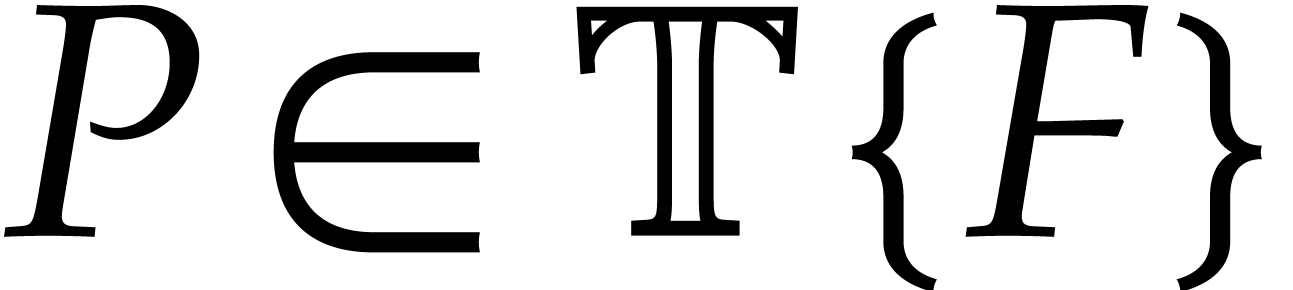 and
and 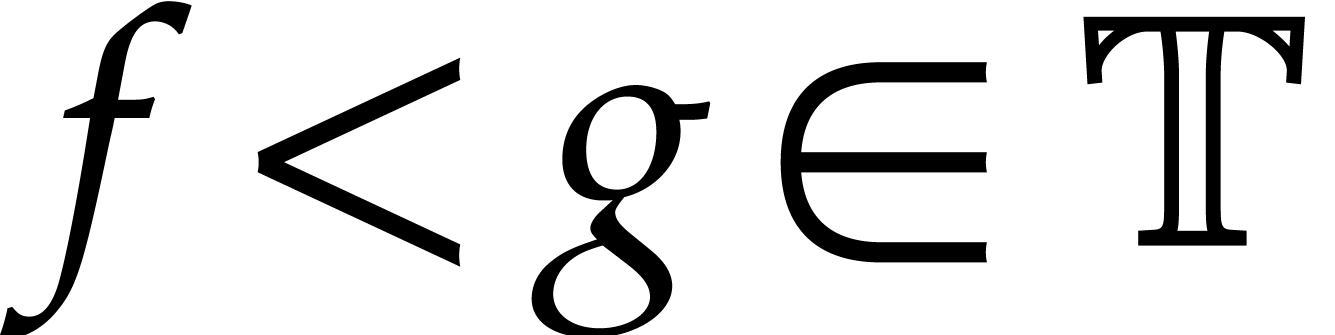 with
with  , there exists an
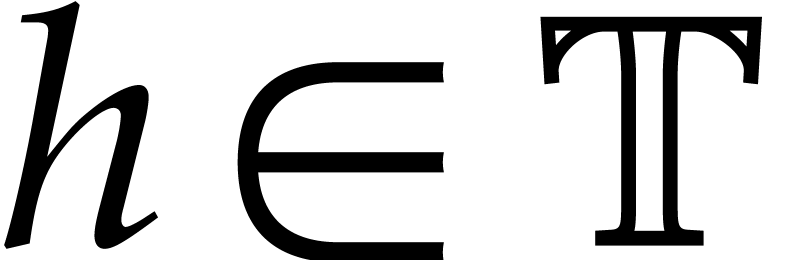 with
with 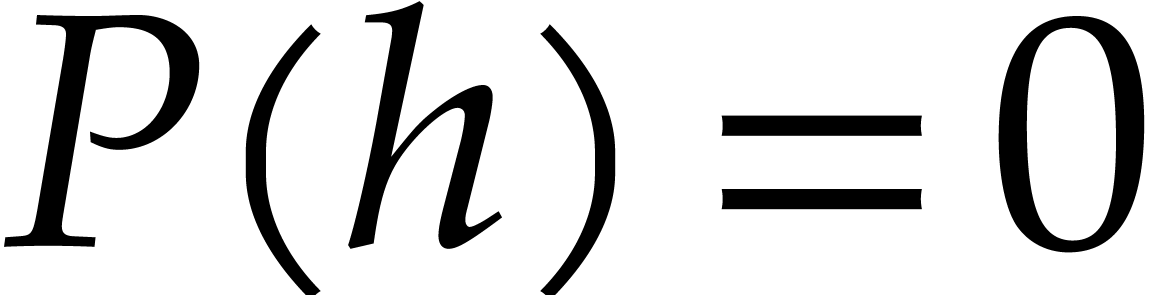 .>>>>>
produces
 and
and 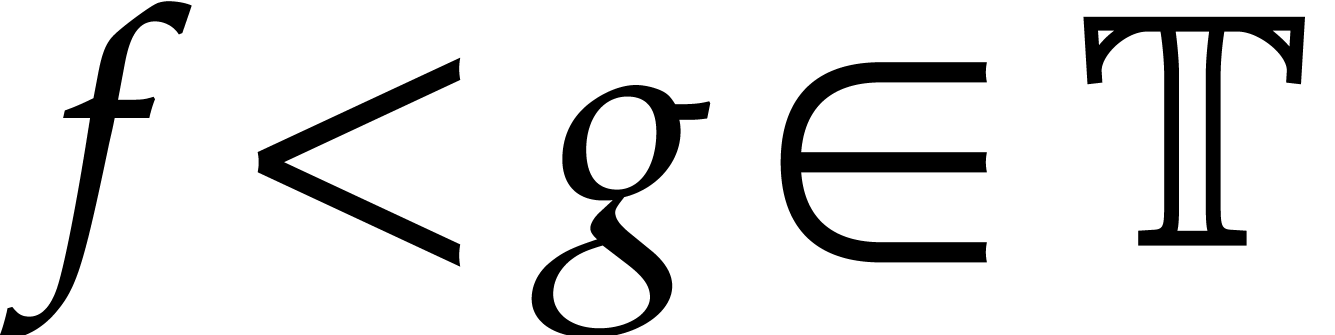 with , there exists an
 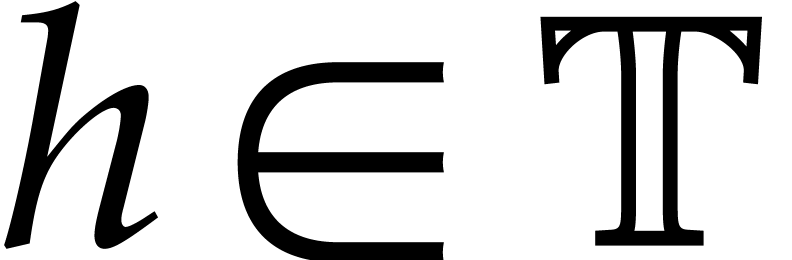 with .
In general, the
2.Formatting primitives
2.1.White space primitives
This primitive inserts an elastic vertical space after the current paragraph. All operands must be length values. The len argument specifies the default length and the min and max arguments the bounds to vertical stretching for page breaking and filling. If min and max are not specified, then they are determined implicitly from the length unit of len.
Notice that operands are not evaluated, so they must be literal strings.
This primitive is similar to
This primitive inserts an empty box whose width is len, and whose bottom and top sides are at distances bot and top from the baseline.
If bot and top are not specified, then an empty box is inserted whose bottom is on the baseline and whose height is the same as the lowercase letter x in the current font.
Notice that operands are not evaluated, so they must be literal strings.
This primitive inserts a stretchable horizontal space of nominal width len, which must be a length value. The min and max arguments specify bounds to horizontal stretching for line breaking and filling. If min and max are not specified, then they are determined implicitly from the length unit of len.
Notice that operands are not evaluated, so they must be literal strings.
Springs are horizontal spaces which extend so the containing paragraph takes all the available horizontal space. When a paragraph is line wrapped, split in several visual lines, only springs in the last line are extended.
A spring has a minimal width and a weight. If the weight is 0, the spring is weak, otherwise it is strong. If a line contains mixed weak and strong springs, only the strong springs extend.
The fraction of the available horizontal space taken up by each strong spring is proportional to its weight. If there are only weak springs, they share the available space evenly.
<
<
Operands are not evaluated and must be literal strings.
Weak springs are useful in style-sheets. For example, tail weak springs are used to make the list environment extend to across the full paragraph, so vertical motion commands in nested lists behave as expected. In regular documents, springs are often used to place some text on the right side of the page and some other text on the left side.
2.2.Line breaking primitives
A simple document is a sequence of logical paragraphs,
one for each subtree of a
This is a deprecated tag in order to split a logical paragraph into several logical paragraphs without creating explicit subtrees for all paragraphs.
We recall that logical paragraphs are important structures for the typesetting process. Many primitives and environment variables (vertical spacing, paragraph style, indentation, page breaking, etc.) operate on whole paragraphs or at the boundaries of the enclosing paragraph.
This is a tag which will become deprecated as soon as the
Currently, the
Print an invisible space with zero hyphenation penalty. The line
breaking algorithm searches for the set of hyphenation points
minimizing the total penalty, so line breaking is much more likely
to occur at a
Unlike
Set an hyphenation point with an infinite penalty. That is useful
when the hyphenation patterns for a language fall short of
preventing some forbidden patterns like “arse-nal” or
“con-genital”. An alternative way to prevent breaks is
to use the
2.3.Indentation primitives
There are two main ways to distinguish between successive paragraphs:
separate them by a small vertical space, or use an indentation for
each new paragraph. The indentation can be explicitly controlled using
the
Disable or enable indentation for the current paragraph. For instance, the code
<document|<no-indent>This is a long paragraph which demonstrates the disabling indentation using the <markup|no-indent> primitive.|<yes-indent>This is a long paragraph which demonstrates enabling indentation using the <markup|yes-indent> primitive.>
typically produces
This is a long paragraph which demonstrates the disabling
indentation using the
This is a long paragraph which demonstrates enabling indentation
using the
Disable or enable indentation for the next paragraph. For instance,
<document|A first paragraph.<yes-indent*>|A second paragraph.>
typically produces
A first paragraph.
A second paragraph.
Notice that
Currently, the
2.4.Page breaking primitives
The physical lines in a document are broken into pages in a way similar to how paragraphs are hyphenated into lines. The page breaker performs page filling, it tries to distribute page items evenly so text runs to the bottom of every page. It also tries to avoid orphans and widows, which are single or pairs of soft lines separated from the rest of their paragraph by a page break, but these can be produced when there is no better solution.
Prevent the occurrence of an automatic page break after the current
line. Set an infinite page breaking penalty for the current line,
similarly to
Forbidden page breaking points are overridden by “new page” and “page break” primitives.
Similar to
Cause the next line to appear on a new page, without filling the current page. The page breaker will not try to position the current line at the bottom of the page.
Similar to
Force a page break after the current line. A forced page break is different from a new page, the page breaker will try to position the current line at the bottom of the page.
Use only to fine-tune the automatic page breaking. Ideally, this
should be a hint similar to
Similar to
When several “new page” and “page break”
directives apply to the same point in the document, only the first one
is effective. Any
2.5.Box operation primitives
This primitive moves the box with the specified content by delta-x to the right and delta-y upwards. It may be used for fine-grained positioning. During the evaluation of delta-x and delta-y, the box lengths w, h, l, r, b and t of content are defined.
This primitive is similar to
Resize the box for the content according to new left, bottom, right and top limits left-lim, bot-lim, right-lim and top-lim. The limits may be specified in terms of the box lengths w, h, l, r, b and t of content. For instance, the code
(<resize|Hopsa|<minus|1l|5mm>||<plus|1r|5mm>|>)
widens the box for “Hopsa” by 5mm on each side:
(Hopsa)
This primitive is similar to
The box with the content is displayed as
usual if the condition is satisfied and
displayed as whitespace otherwise. This primitive is used in
particular for the definition of the
This primitive can be used to decorate some content with a given pattern. For instance, when defining the macro
<assign|wipe-out|<macro|x|<repeat|x|<with|color|red|/>>>>
the code <wipe-out|obsolete> produces obsolete.
The
These primitives are used to decorate a posteriori the lines of a paragraph, the lines of a page, or the pages of a document. Currently, only decorations of atoms on lines of a paragraph have been implemented.
The first argument foo is a macro which will be applied to all boxes in the line and the second argument content is the part of the paragraph to which the decoration will be applied. For instance, the construction
<\datoms|
<macro|x|
>
|
body
>
may be used in order to visualize the boxes in a given paragraph:
Here is a sufficiently long paragraph. Here is a sufficiently long paragraph. Here is a sufficiently long paragraph. Here is a sufficiently long paragraph. Here is a sufficiently long paragraph. Here is a sufficiently long paragraph.
When used in combination with the
<\assign|
toc-dots
|
<\macro|
<\datoms|
<macro|x|<repeat|x|<space|0.2fn>.<space|0.2fn>>>
|
<htab|5mm>
>
>
>
Notice that the
3.Mathematical primitives
These primitives are used for producing large delimiters, like in the formula
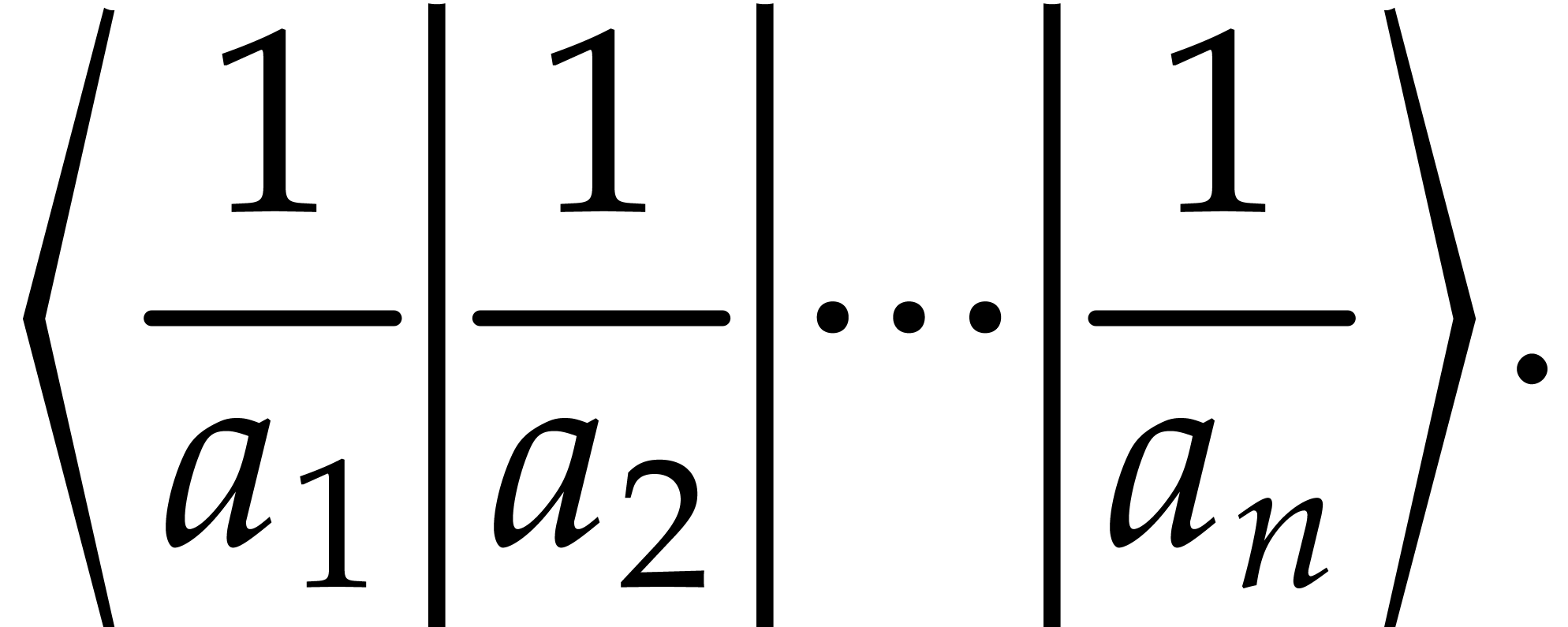
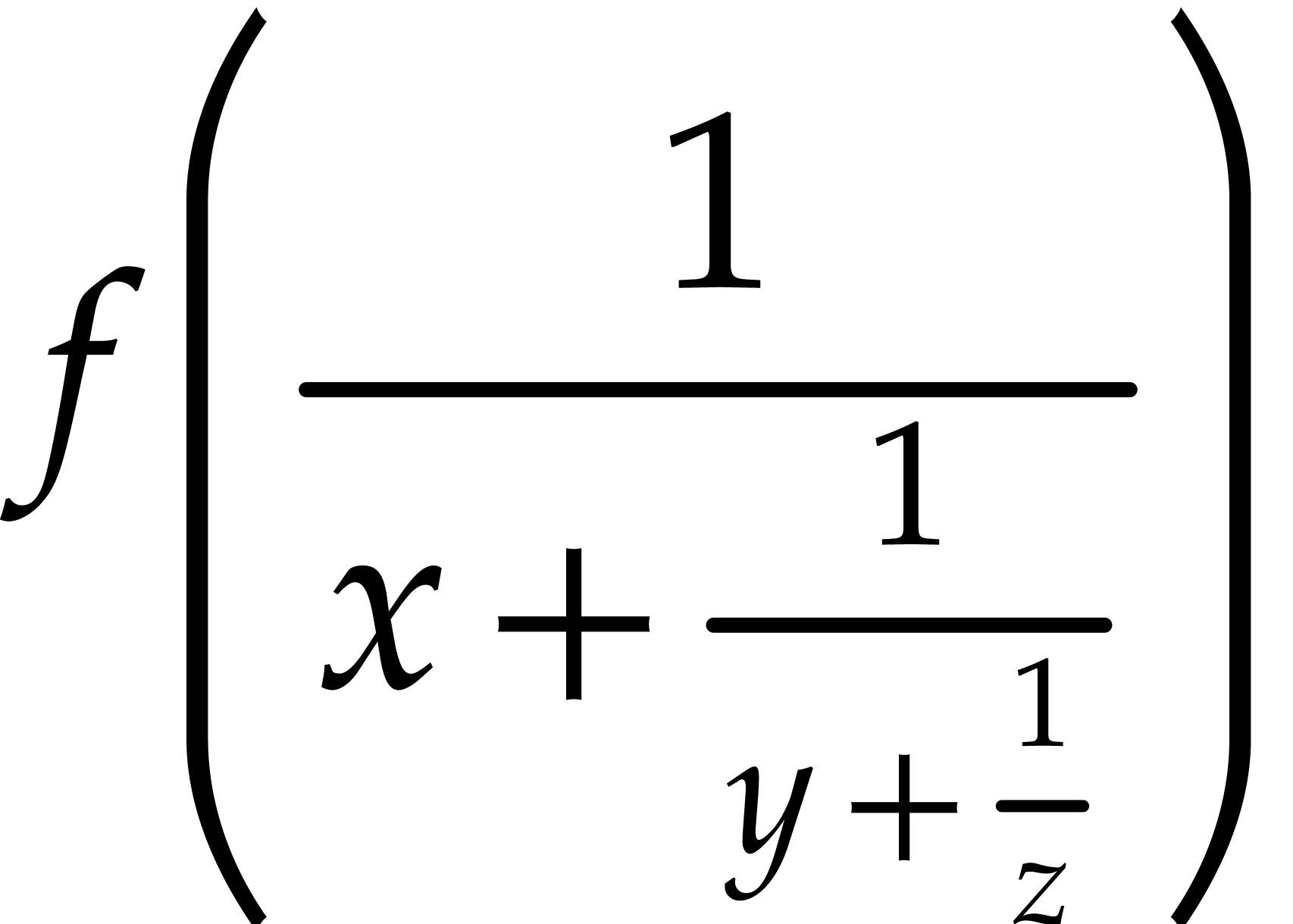
Matching left and right delimiters are automatically sized so as contain the enclosed expression. Between matching left and right delimiters, the formula may contain an arbitrary number of middle delimiters, which are sized in a similar way. Contrary to TeX, the depth of a large delimiter is not necessarily equal to its height, so as to correctly render formulas like
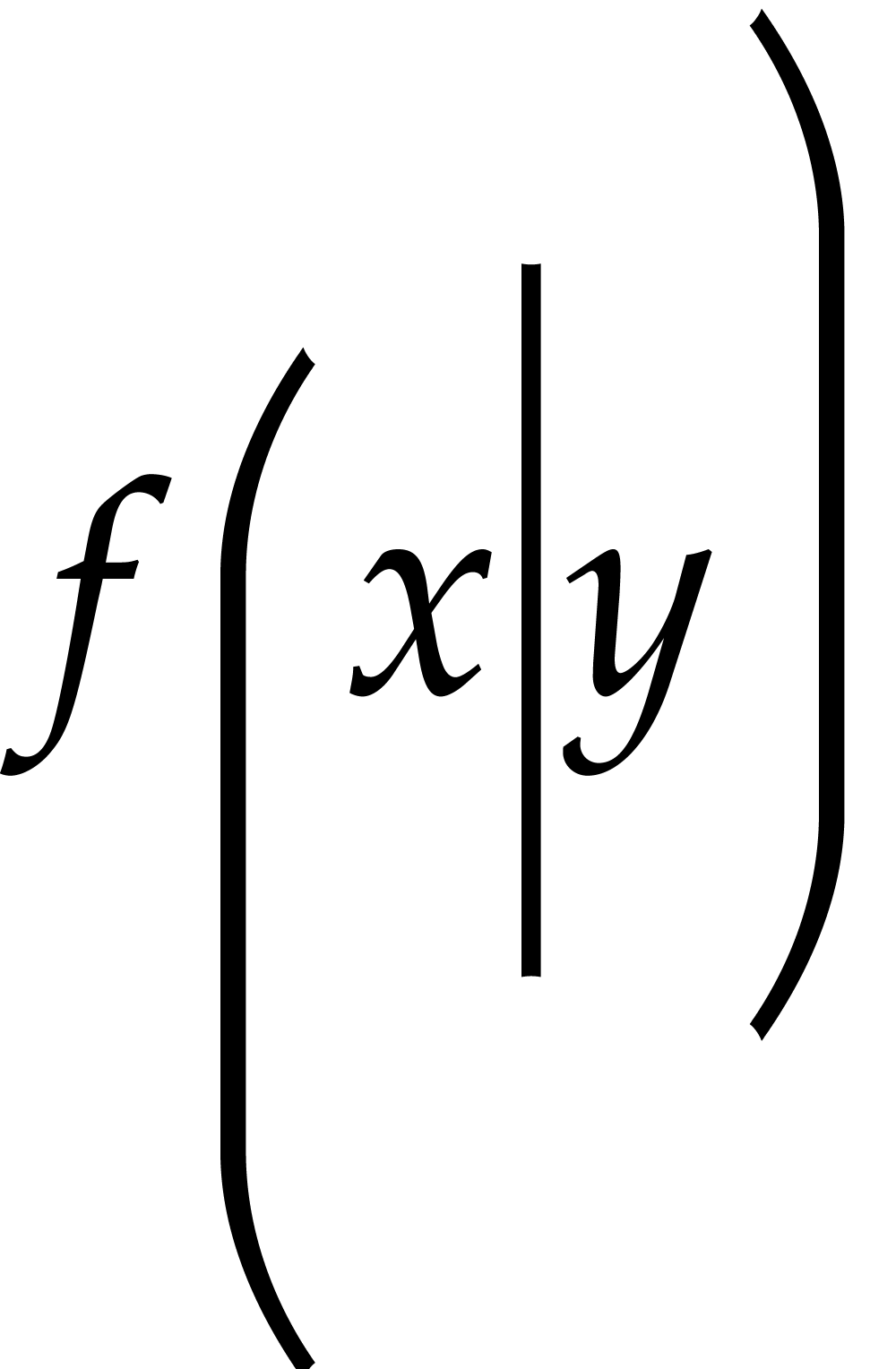
The user may override the automatically determined size by specifying additional length parameters size or bottom and top. For instance,
f<left|(|-8mm|4mm>x<mid|||8mm>y<right|)|-4mm|8mm>
is rendered as
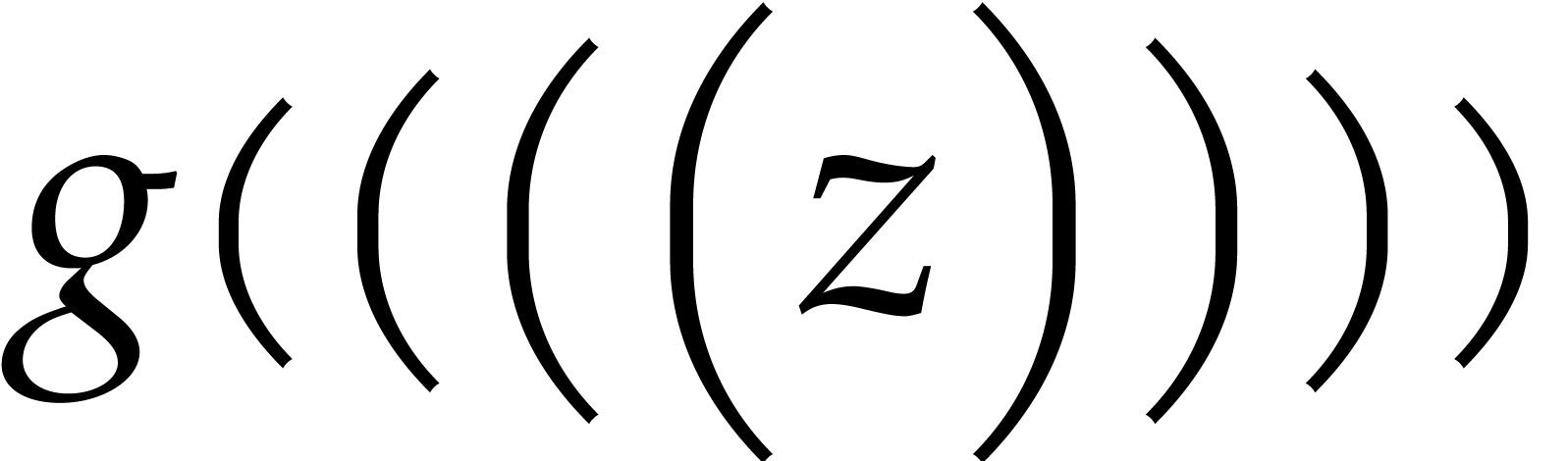
The size may also be a number 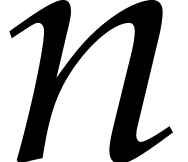 , in which case the -th
available size for the delimiter is taken. For instance,
, in which case the -th
available size for the delimiter is taken. For instance,
g<left|(|0><left|(|1><left|(|2><left|(|3>z<right|)|3><right|)|2><right|)|1><right|)|0>
is rendered as
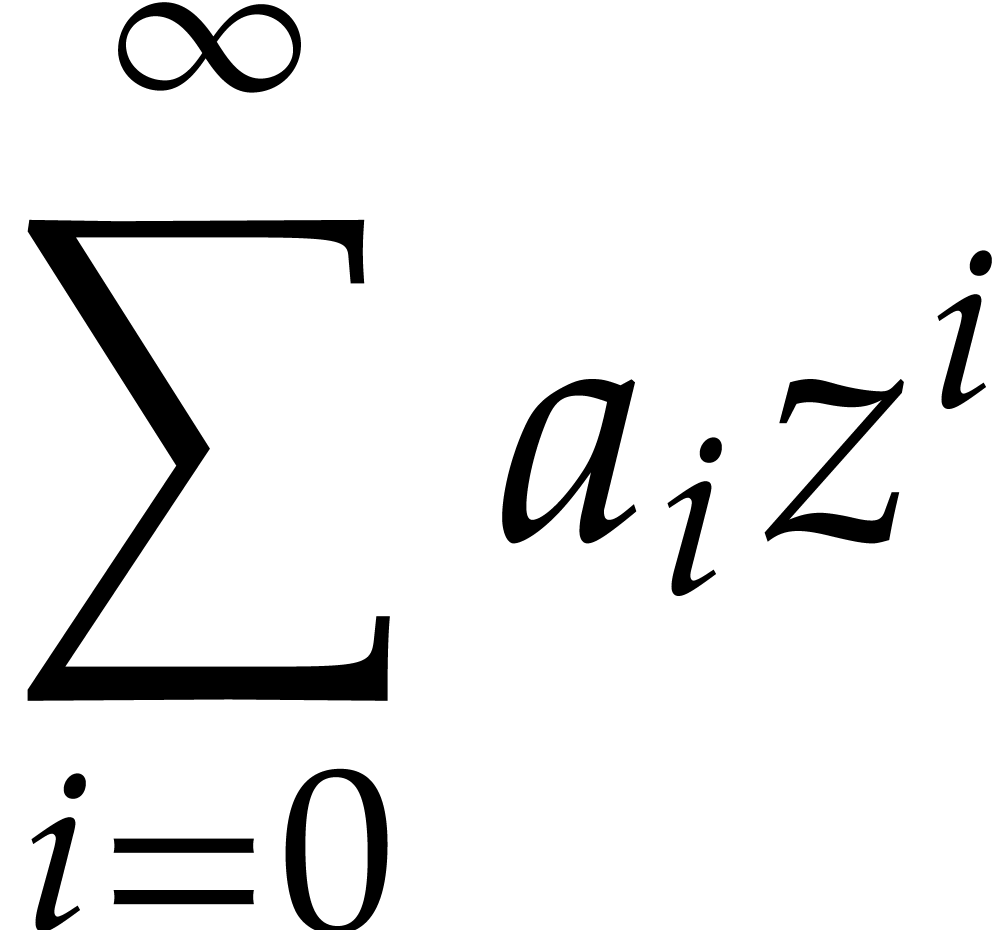
This primitive is used in order to produce big operators as in
 |
(1) |
The size of the operator depends on whether the formula is rendered
in “display style” or not. Formulas in separate
equations, like (?), are said to be rendered in display
style, contrary to formulas which occur in the main text, like 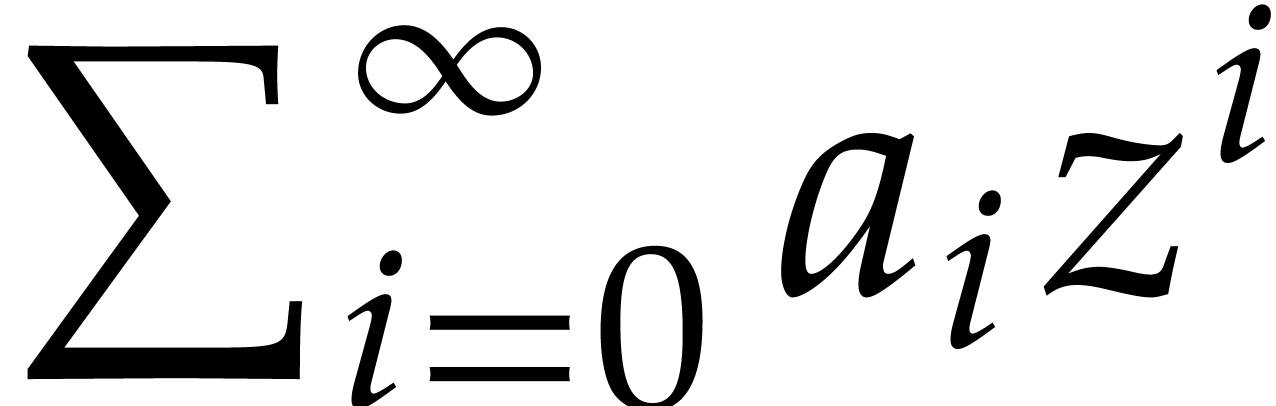 . The user may use
Notice that the formula (?) is internally represented as
<big|sum><rsub|i=0><rsup|∞>a<rsub|i>*z<rsup|i><big|.>
The invisible big operator <big|.> is used to indicate the end of the scope of <big|sum>.
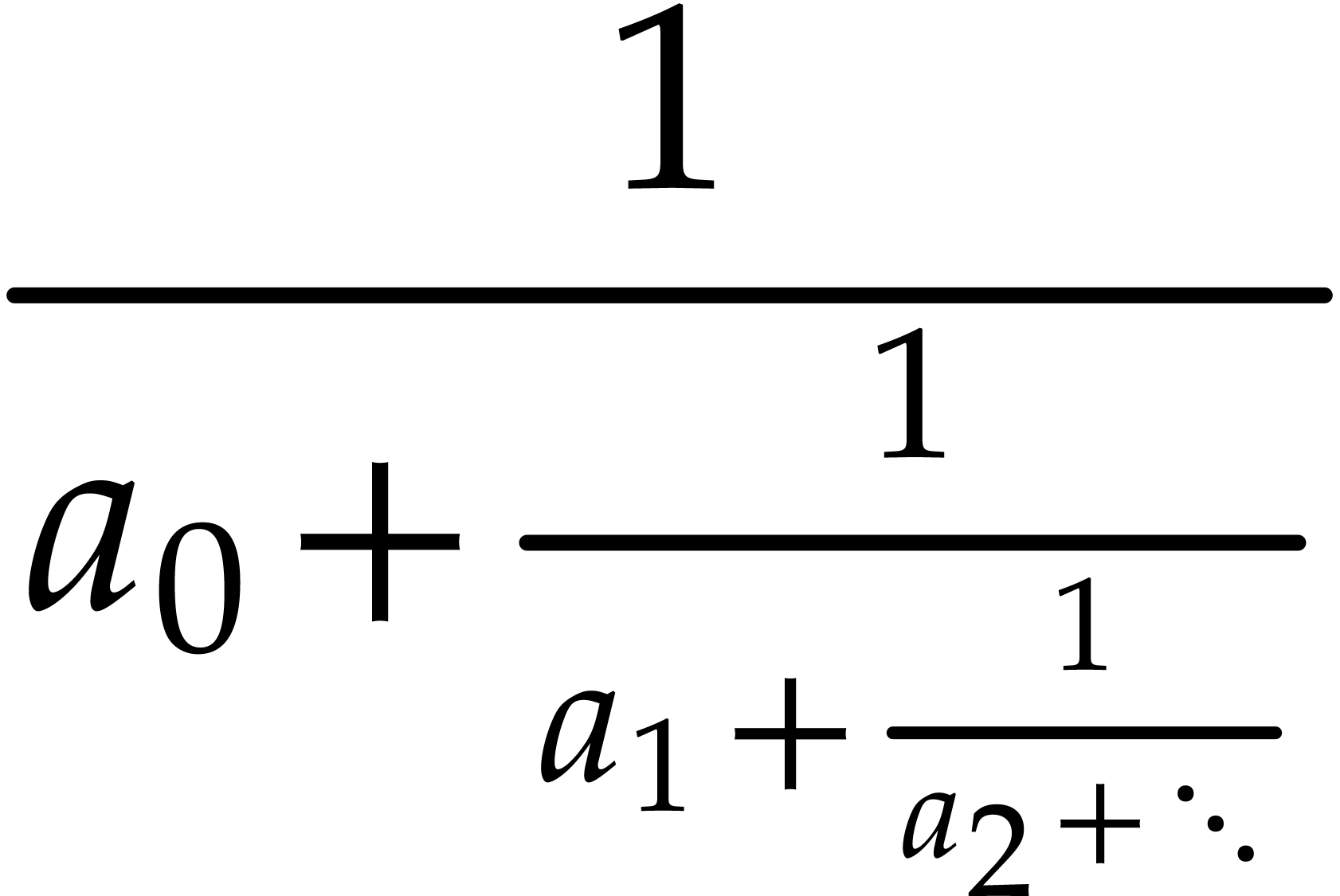
The 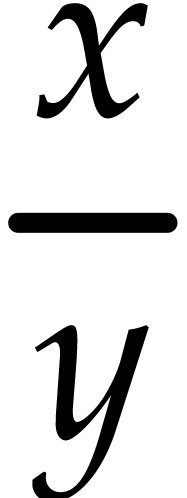 . In
display style, the numerator num and
denominator den are rendered in the
normal size, but display style is turned of when typesetting num and den. When
the display style is turned of, then the arguments are rendered in
script size. For instance, the content
. In
display style, the numerator num and
denominator den are rendered in the
normal size, but display style is turned of when typesetting num and den. When
the display style is turned of, then the arguments are rendered in
script size. For instance, the content
<frac|1|a<rsub|0>+<frac|1|a<rsub|1>+<frac|1|a<rsub|2>+⋱>>>
is rendered in display style as
The 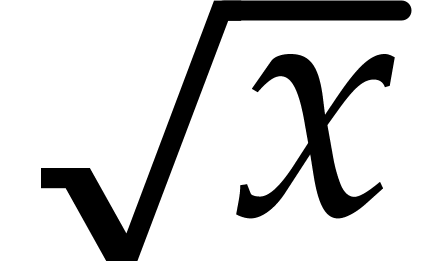 or
n-th roots like
or
n-th roots like 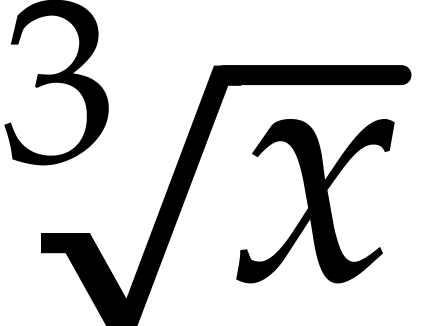 .
The root symbol is automatically sized so as to encapsulate the
content:
.
The root symbol is automatically sized so as to encapsulate the
content:
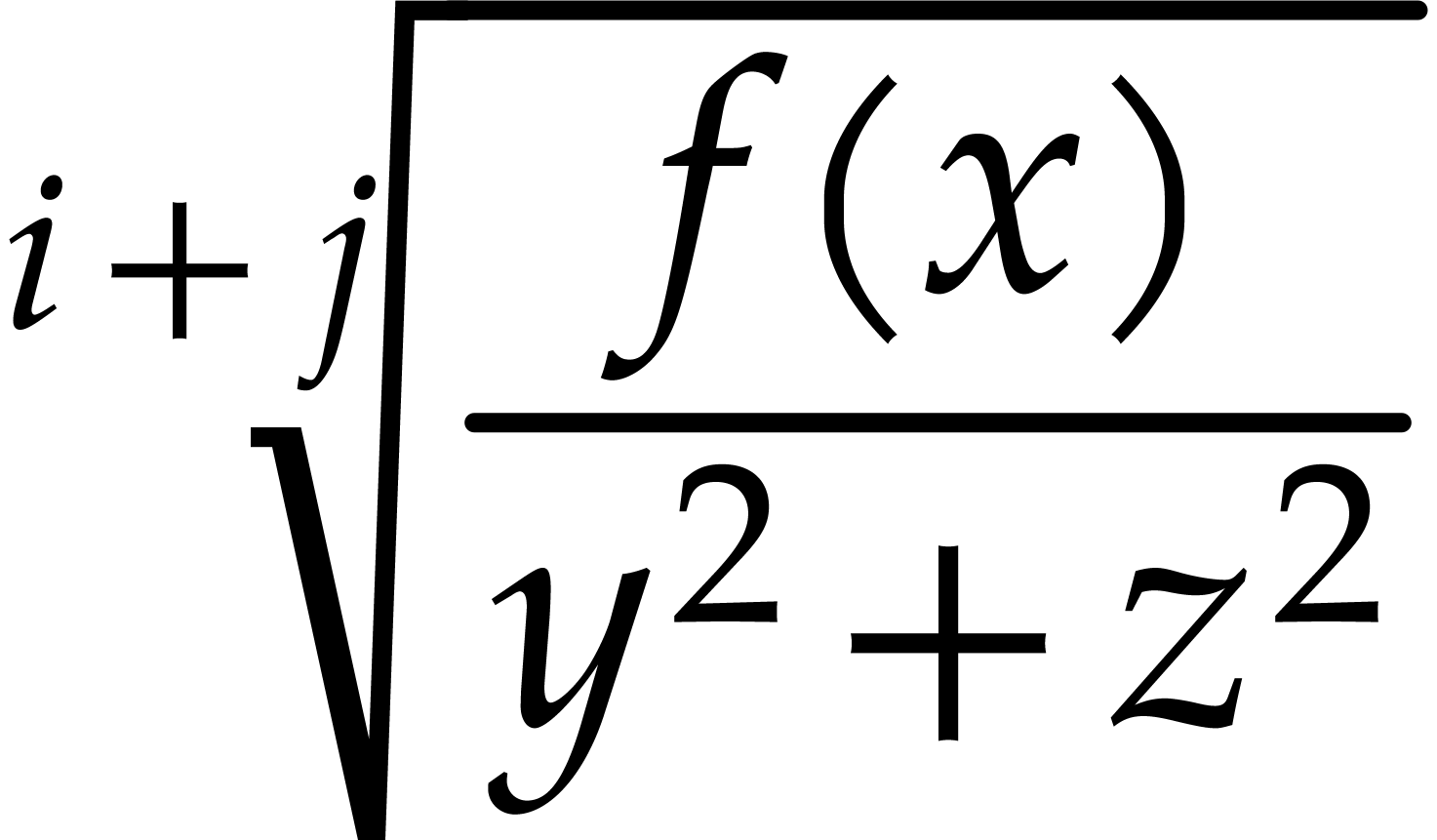
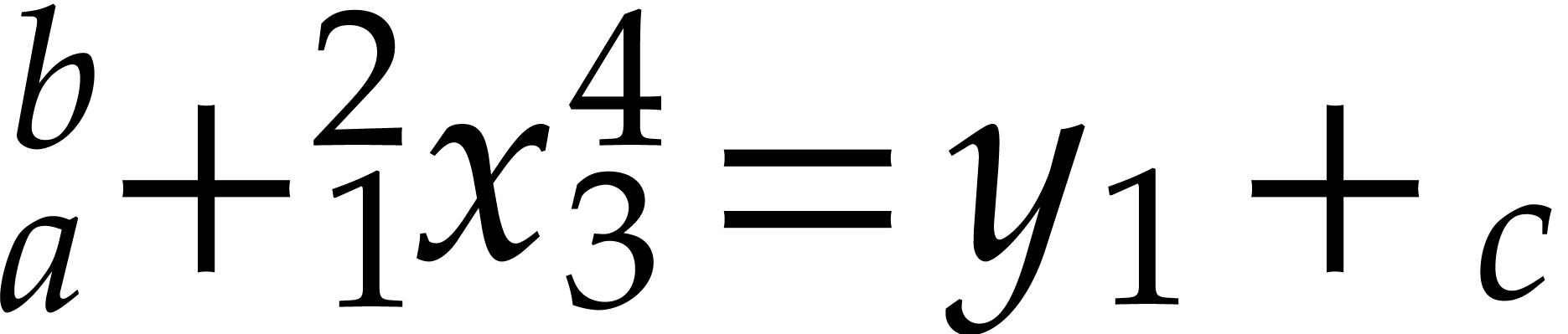
These primitives are used in order to attach a script to the preceding box in a horizontal concatenation (in the case of right scripts) or the next one (in the case of left scripts). When there is no such box, then the script is attached to an empty box. Moreover, when both a subscript and a superscript are specified on the same side, then they are merged together. For instance, the expression
<rsub|a><rsup|b>+<lsub|1><lsup|2>x<rsub|3><rsup|4>=y<rsub|1>+<lsub|c>
is rendered as
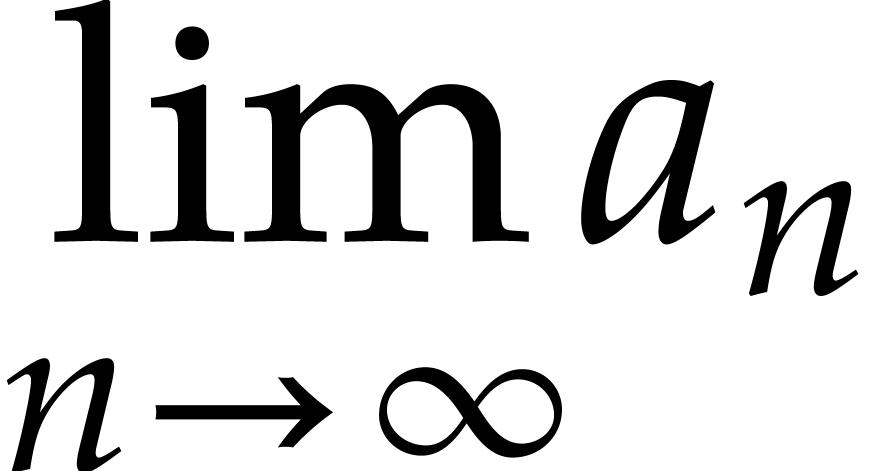
When a right script is attached to an operator (or symbol) which accepts limits, then it is rendered below or above instead of beside the operator:
Scripts are rendered in a smaller font in non-display style. Nevertheless, in order to keep formulas readable, the size is not reduced below script-script-size.
Left and right primes are similar to left and right superscripts,
except that they behave in a different way when being edited. For
instance, when your cursor is behind the prime symbol in 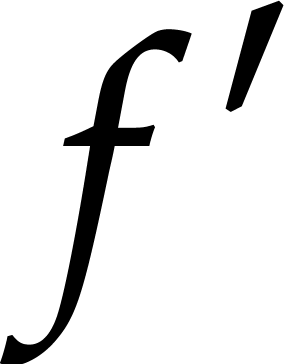 and you press backspace, then the prime is removed. If
you are behind
and you press backspace, then the prime is removed. If
you are behind 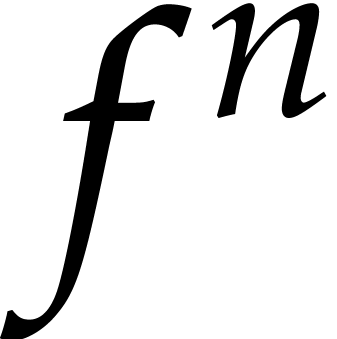 and you press backspace
several times, then you first enter the superscript, next remove
and finally remove the superscript. Notice
also that prime-symbols is necessarily a
string of concatenated prime symbols. For instance,
and you press backspace
several times, then you first enter the superscript, next remove
and finally remove the superscript. Notice
also that prime-symbols is necessarily a
string of concatenated prime symbols. For instance, 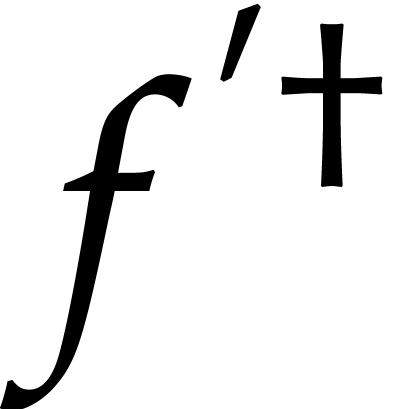 is represented by f<rprime|'†>.
The
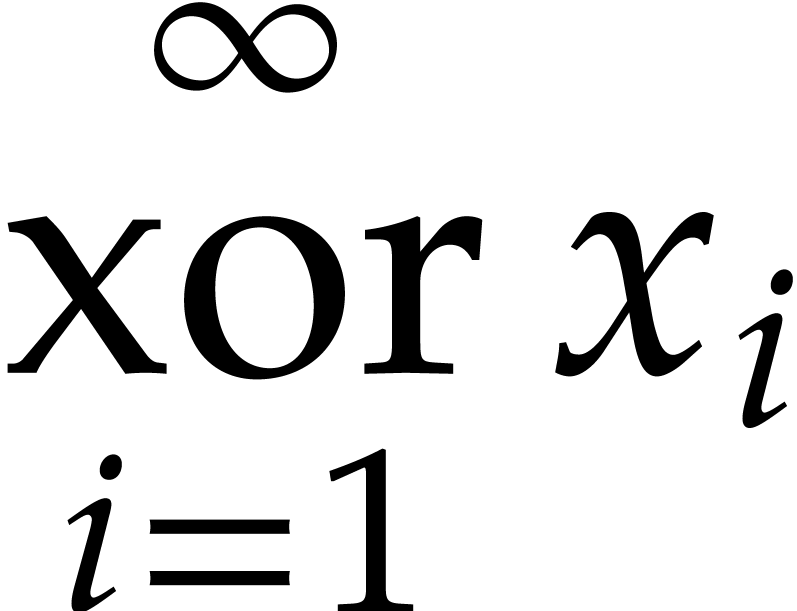
can be produced using
<above|<below|xor|i=1>|∞> x<rsub|i>
These primitives can be used in order to produce wide accents above
or below some mathematical content. For
instance 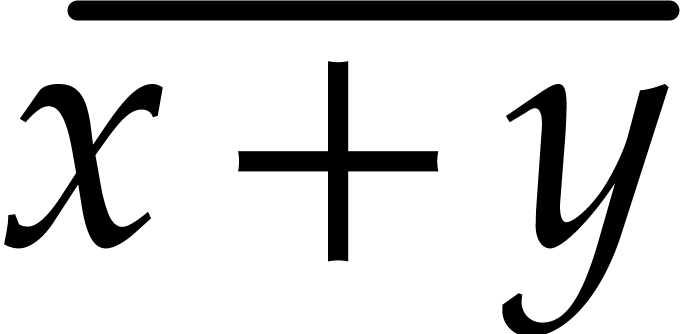 corresponds to the markup <wide|x+y|¯>.
This primitive is mainly used for producing negated symbols or
expressions, such as 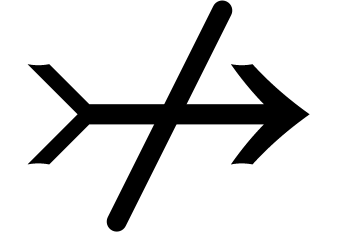 or
or 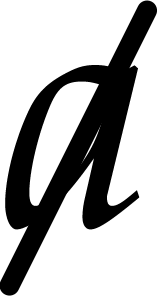 .
.
This primitive is used to produce a tree with a given root and children child-1 until child-n. The primitive should be used recursively in order to produce trees. For instance,
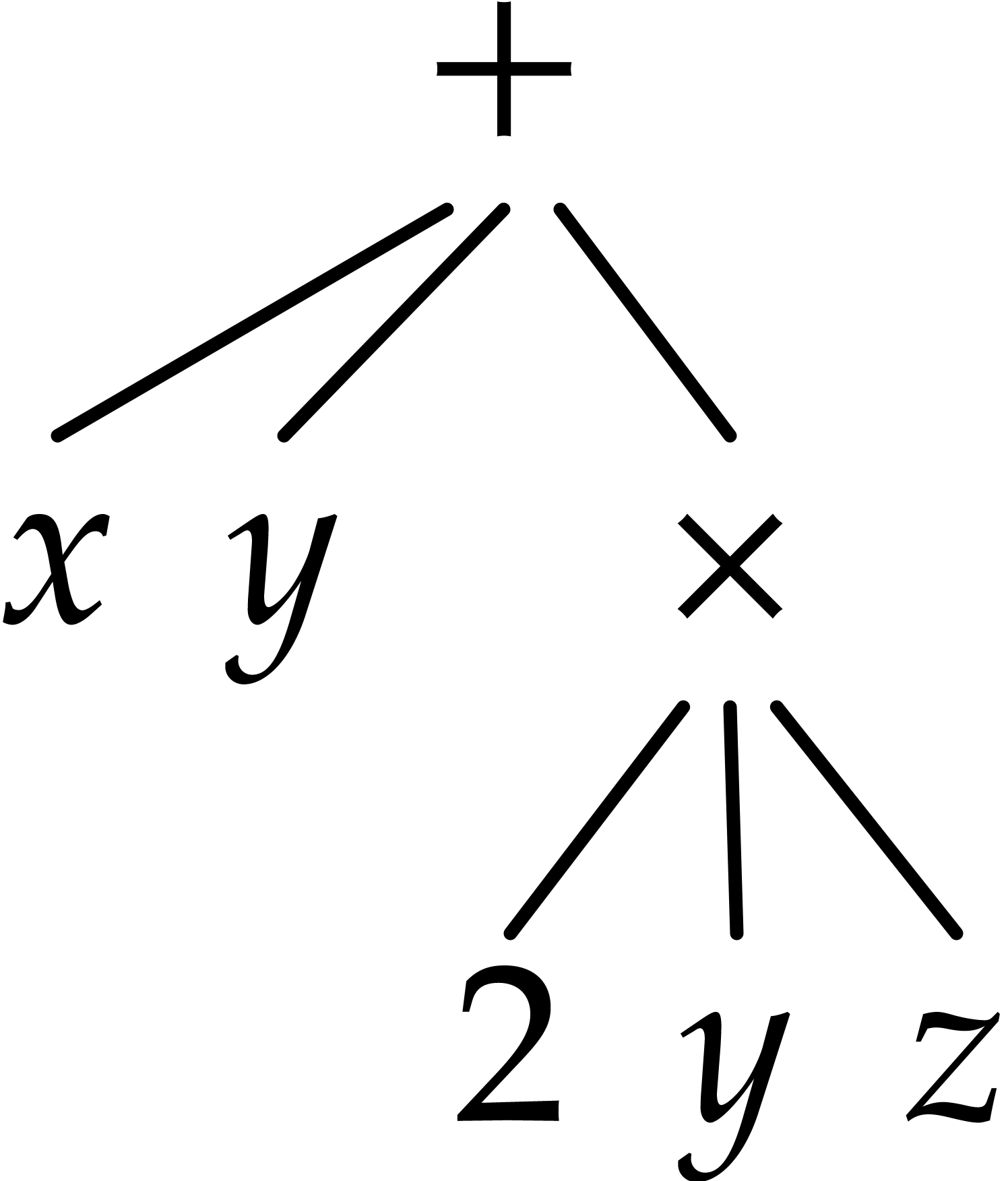
corresponds to the markup
<tree|+|x|y|<tree|×|2|y|z>>
In the future, we plan to provide further style parameters in order to control the rendering.
4.Table primitives
Tables are always present in documents inside evaluable tags which
take a
Every tabular structure in a document contains a
<
< |with-n|table> is used when the
table contains specific formatting information. The with-1
to with-n arguments must all be
|with-n|table> is used when the
table contains specific formatting information. The with-1
to with-n arguments must all be
The formatting of the table as a whole is specified by a number of table variables, which are used internally and do not appear in the environment like regular typesetter variables.
The
The formatting of cells is specified by a number of cell
variables, which are used internally and do not appear in the
environment like regular typesetter variables. Rows, columns, and
generally any rectangular range of cells can associated to a cell
variable setting by a single
The
Range coordinates must be non-zero literal integers, positive values are counted left to right and top to bottom, negative values are counted right to left and bottom to top. For example, 2 means the second row or column and -1 means the last row or column.
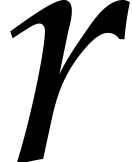
Typical values for  are
are  for “row
  ”,
”,  for “column
 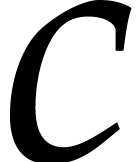 ”, and
 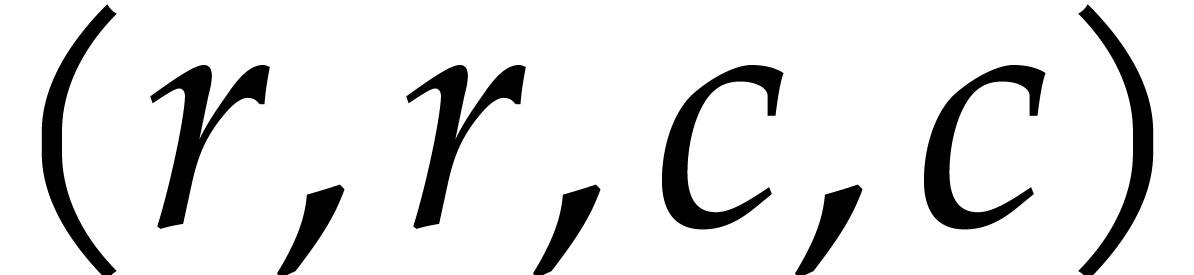 for “the cell at row ,
column ”. When new cells are inserted,
it makes a difference whether the rows are counted from the top or
bottom, and the columns are counted from the left or right. If
for “the cell at row ,
column ”. When new cells are inserted,
it makes a difference whether the rows are counted from the top or
bottom, and the columns are counted from the left or right. If 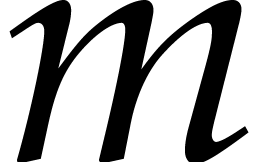 is the number of rows and
the number of columns, then and
is the number of rows and
the number of columns, then and  represent the same row and
 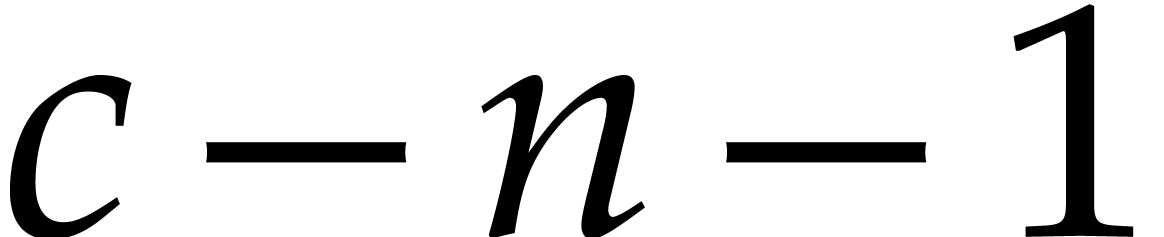 represent the same column.
The only purpose of the
The only purpose of the
Table cells can contain any document fragment. A
A
In addition to regular markup, cells can accept
A similar effect can be obtained with normal table by setting the
cell's padding to zero in all directions, the extra twist of a
This tag is used in the definition of cell decorations, see the documentation of the cell-decoration environment variable.
It is also used outside tables, in the
This macro implements standard left aligned tables without borders.
Although the
5.Linking primitives
The operand must evaluate to a literal string, it is used as a
target name which can be referred to by
Label names should be unique in a document and in a project.
Examples in this section will make references to an example
<label|there>
The operand must evaluate to a literal string, which is the name of
a
<reference|there>
The
A
The operand must evaluate to a literal string, which is the name of
a
<pageref|there>
The
A
This primitive produces an hyperlink with the visible text content pointing to url. The content is typeset as inline url. The url must evaluate to a literal string in URL syntax and can point to local or remote documents, positions inside documents can be be specified with labels.
The following examples are typeset as hyperlinks pointing to the label “there”, respectively in the same document, in a document in the same directory, and on the web.
<hlink|same document|#there>
<hlink|same directory|file.tm#there>
<hlink|on the web|http://example.org/#there>
If the document is not editable, the hyperlink is traversed by a simple click, if the document is editable, a double-click is required.
The operand must be a literal string and is interpreted as a file
name. The content of this file is typeset in place of the
Bind a
<action|here|(lambda () (system "xterm &"))>
When clicking on actions, the user is usually prompted for
confirmation, so as to avoid security problems. The user may control
the desired level of security in
6.Miscellaneous physical markup
Typeset the content, which must be line
content, as an atomic line item. Hyphenation within the
Floating insertions are page items which are typeset “out of
band”, they are associated to two boxes: the anchor box marks
the structural position of the
The first and second operands are evaluated, but for clarity the
first operand appears as a literal string in the examples. Since the
body is typeset out of band, it may be
block content even if the
<
<
The where operand must evaluate to a string which may contain the following characters:
- t
-
Allow the floating box at page top.
- b
-
Allow the floating box at page bottom.
- h
-
Allow the floating box “here”, in the middle of the page near the anchor box.
- f
-
Force the floating box within the same page as the anchor box.
This primitive marks body for output only on the specified medium. The following values of medium are supported:
- texmacs
-
The body is typeset as usual line content.
- latex
-
The body, which must be a string, is not visible from within TeXmacs, but it will be included in a verbatim way when the document is exported to LaTeX.
- html
-
Similar to the latex medium, but for
HTML exports. - screen
-
The body is only typeset when the document is visualized on a screen. This may be useful to provide additional visual information to the user during the editing phase which should disappear when printing out. A similar tag which may be used for this purpose is
flag . - printer
-
This medium is complementary to screen, when the body should only be visible when printing out, but not when the document is displayed on the screen.
In some contexts you need to embed uneditable data inside a
document, most of the time this is uneditable binary data. The